
How to run tasks on the n8n master
I’ve already talked about n8n here and how interesting the first 48 hours were. In the meantime, a few months have passed, and my tasks have grown to a total of 51. I’ve developed “library tasks” – subtasks that can be used by other workflows for common operations like interacting with home automation – and others that use community nodes (third-party components) to extend n8n’s features.
Among these extensions, one rather unique tool that is the focus of today’s article is Telepilot. It allows you to overcome the limitations of the standard n8n Telegram plugin. What does it do? While the standard plugin can only impersonate a bot, Telepilot and its Python library can impersonate a full client – meaning your own personal Telegram identity.
Now, what sounds like a bad idea usually is a bad idea. In general, writing a Telegram client means giving that code full access to all notifications and operations on that account. I must say, from this perspective, Telepilot is incredibly powerful given the triggers it supports. However, it can be a good idea if you want to access content from groups you are subscribed to that don’t allow bots. At this point, we can exploit this feature to have an n8n automation follow us like a “shadow,” reading all messages, selecting the relevant ones, and potentially even replying on our behalf.
So, let’s say that upon receiving a new message, you want to:
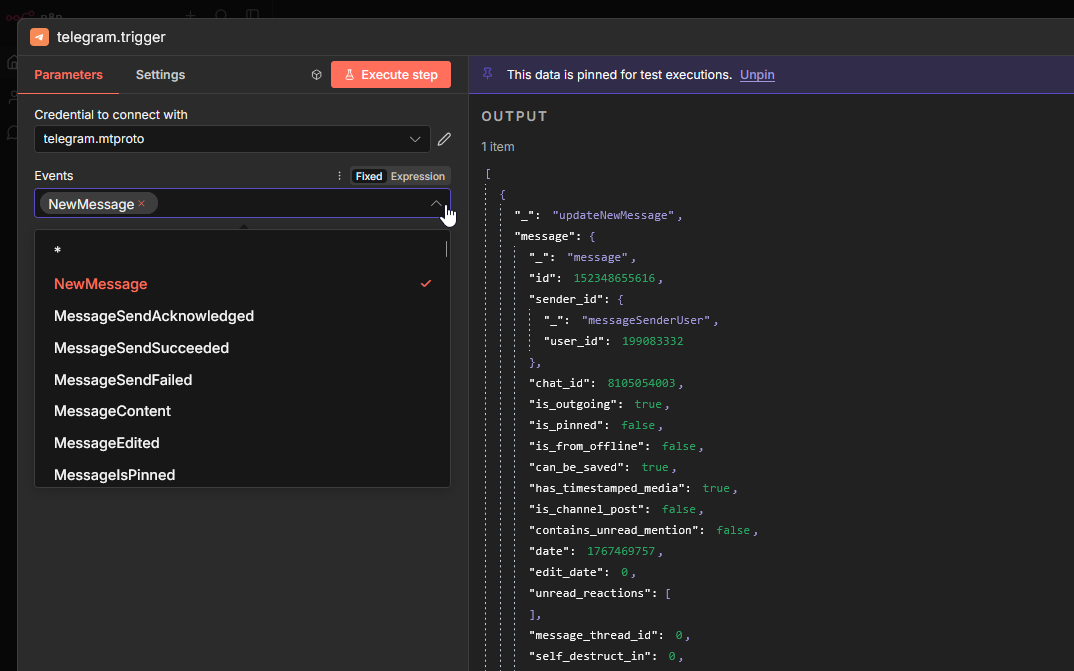
perform an action. Easy! You set up a trigger and you’re good to go. You can read the message, set conditions, and at a certain point, you might want to perform a new operation within your workflow using the Telepilot plugin again.
You write it, test it in your development environment, and it works: now, when a new message arrives, you can read it, process it, and, for example, download a file from that message using another action of the plugin:
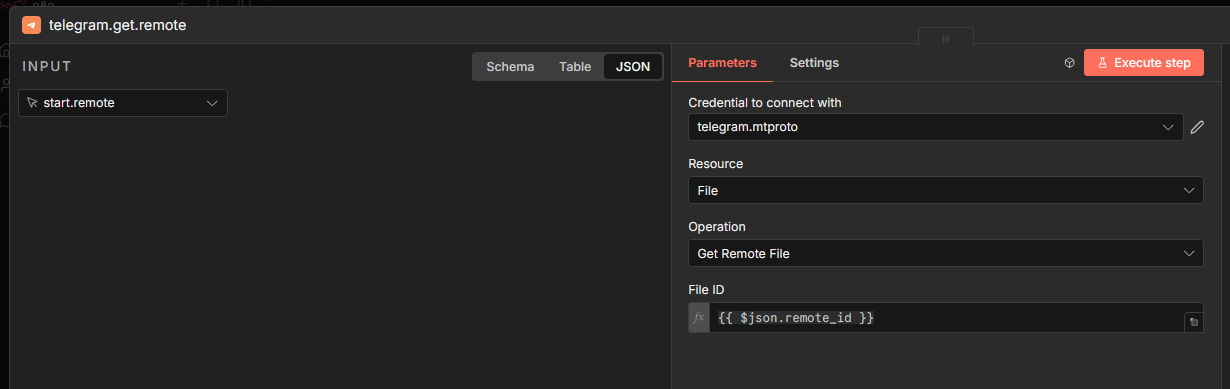
Then, the first production message arrives and the workflow fails. You check the logs and… it seems the plugin isn’t logged in, even though deeper in the n8n worker logs you find:
Can't lock file <path>/td.binlog because it is already in use by current program And you’ll ask yourself… who is locking it? Frustrated, you choose to test the failed workflow via “Debug in editor” and… it works perfectly. This happens once, twice, ten times – it can’t be a coincidence. Using lslocks, it turns out the lock is held by the n8n Master (the Web UI), and this is where the real story begins.
Master and worker
Since mid-2025, n8n has evolved, and task execution is now distributed. The Master acts as the Web UI and executes tasks triggered interactively via “test workflow,” test webhooks, or workflows with manual triggers. Another container handles production webhooks, and finally, one or more containers run as Workers, receiving instructions on what to run via Redis.
However, there is one thing I haven’t mentioned that doesn’t quite add up. Let’s recap:
- Master (Web UI): Receives test webhook calls, runs manual triggers, and interactive executions.
- Webhook: Receives production webhook calls.
- Worker: Executes tasks by picking them up from a Redis queue.
But who starts “non-webhook” tasks and queues them in Redis – for example, scheduled tasks or application triggers (Jira, official Telegram, Telepilot, Kafka, IMAP, etc.)? The Master does. So, even if it doesn’t “run” the tasks itself, it is a fundamental part of your installation; if the Web UI stops, a scheduled task will never start.
This brings us to the lock drama: the Master holds the lock on that file because it runs the Telepilot plugin throughout its lifecycle while waiting for messages. When a message is received, it is sent with all its input data to Redis and scheduled to run on a worker… which shares the master’s filesystem but cannot read the td.binlog database.
So, what now?
Running Tasks on the Master
Once QUEUE mode is activated in n8n, there is no built-in way to delegate a single operation, or an entire workflow, back to the Master. The only way a task can be forced to run on the Master is by executing it interactively via the Web UI in “debug” mode. In case you’re wondering – and Google Gemini wondered as well – there is no official API to start a workflow interactively, as the documented APIs were not designed for this.
However, it’s also true that the GUI calls an API (albeit an unofficial one) to start tasks interactively. But how?
First, it requires an interactive login, whereas the standard n8n APIs (at /api/v1) use a token. Second, it requires a rather complex call to http://n8n/rest/workflows/<workflow-id>/run. The call contains:
- The entire workflow: basically, the test sends the project content via POST (since the task might not be saved yet).
- The name of the trigger to start from.
- Any input data content.
Interesting, right? So how can we handle this? We can create a “library” subworkflow that does the following:
- Logs in using the Web UI credentials (yes, on a self-hosted instance, this means your own login details) and saves the returned cookie.
- Uses the n8n API to download the content of the target workflow.
- Invokes the “test” call using the parameters received as input.
In practice, you don’t need to create a dedicated subworkflow for every single task. Instead, you can build a generic library that, when called with your chosen parameters and the workflowId, downloads it, configures it, and executes it.
A practical example:

First, you log in. You can create a credential where the input parameters are:
{"emailOrLdapLoginId":"<username>","password":"<password>"}
Then, you download the workflow using the official “n8n API” node:
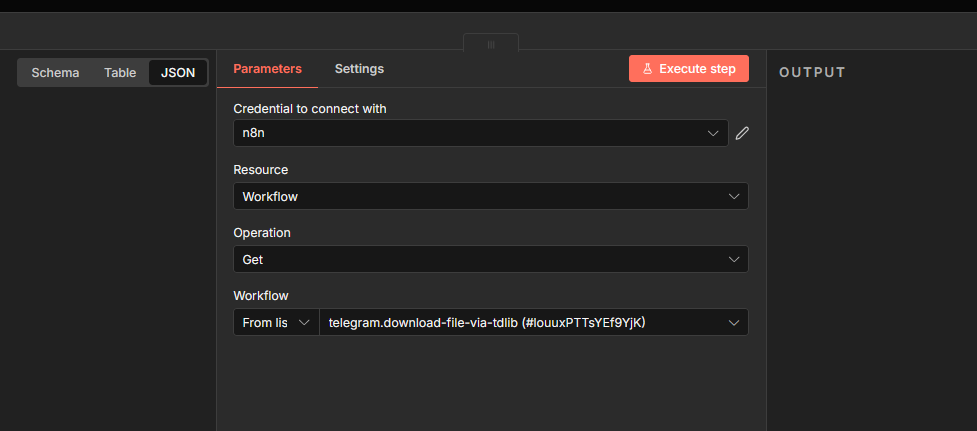
And finally, you execute it
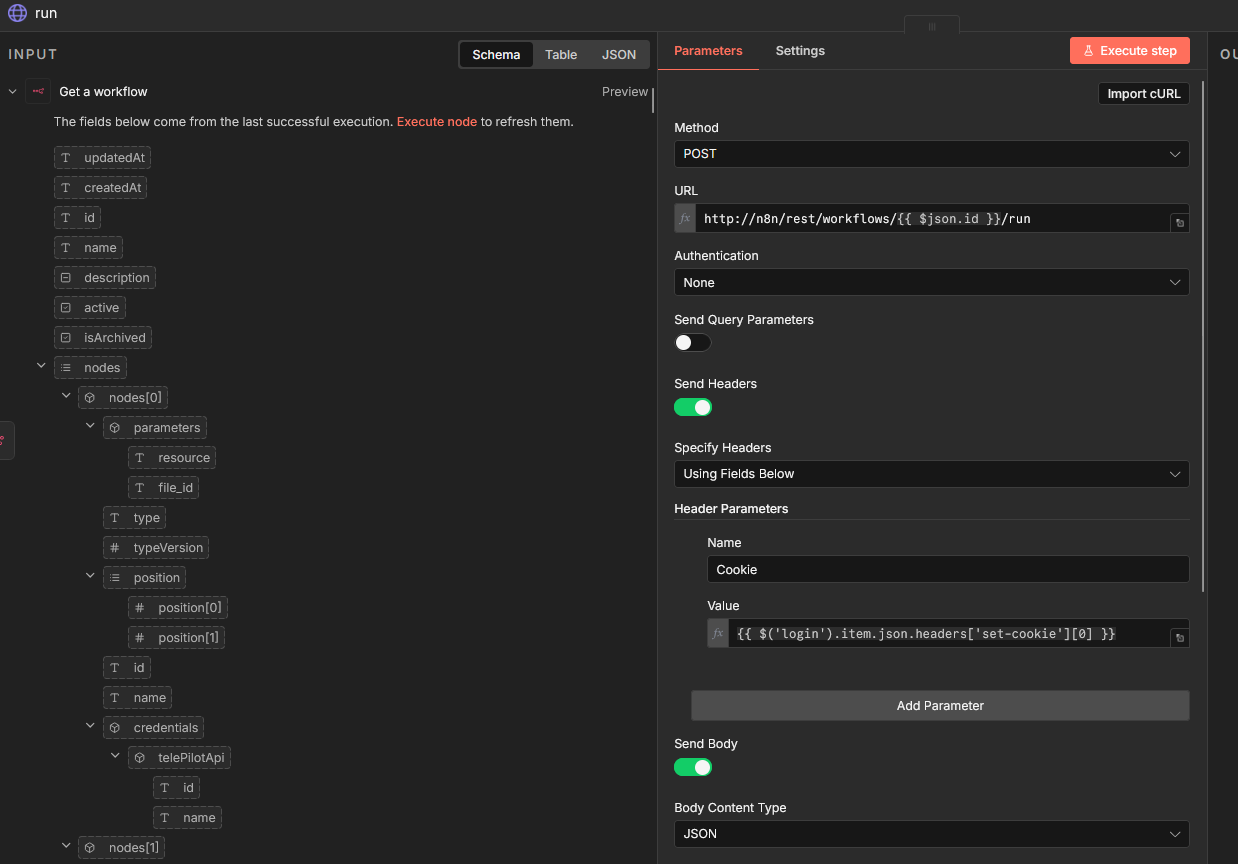
using the following JSON body:
{
  "workflowData": {
    "name": "{{ $json.name }}",
    "active": true,
    "id": "{{ $json.id }}",
    "nodes": {{ JSON.stringify($json.nodes) }},
    "connections": {{ JSON.stringify($json.connections) }},
    "pinData" : {
      "start.remote": [
        {"json":
          {{ JSON.stringify($('start.local').item.json) }}
        }
      ]
    }
  },
  "triggerToStartFrom": {
    "name": "start.remote"
  }
}
Everything is parametric except for the name of the trigger to invoke, which you can easily pass as an input in the trigger node. In this way, this task is explicitly executed as a “test run” on the Master, successfully bypassing the limitations imposed by the Telegram TD library.
Questo post è disponibile anche in:
